How to play
Everything a new resident needs to know, from the first step on the square to the first pot won.
Open the game and choose your look
Press “Play free”. The game opens in your browser — there is nothing to download. Tick that you are 18 or older and choose how to start: as a guest straight away or with an account. Then you create your character: choose a name and twelve options from skin tone to jewellery while the calm “Nile Sunset” plays. You can change everything later in the Wardrobe.
Walk around
- Click or tap the ground and your character walks there; the camera follows you. On a keyboard, walk with WASD or the arrow keys — diagonally too.
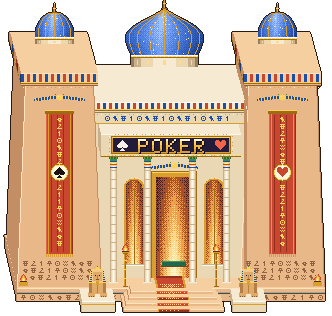
- Click a building to walk to its door and go in — or walk up to the door and press E. The Temple of Fortune is open; other doors say “opening soon”.
- Open the map with M (or from the menu, Esc): the whole city in pixel art, you and everyone around — walk to any building in one click.
- Walk behind tall buildings — they turn see-through so you never lose your character.
Say hello
Press Enter to chat: your words appear in a bubble over your head (Enter on an empty line takes you back to the game). Quick phrases and ten emotes — the buttons under the game or keys 1–0 — let you wave, dance, clap or laugh without typing. Residents marked “AI” answer greetings too.
Play poker
- Walk into the Temple of Fortune (or press “Play” on the map). The lobby opens.
- Choose a table — Scribes’, Priests’ or Pharaoh’s — 5 or 9 seats and normal or turbo speed.
- Pick your buy-in (10 to 200 big blinds) and sit down.
- On your turn, press Fold, Check or Call — or Bet / Raise to, with the slider and the quick buttons.
- Press Rebuy between hands to top up, “Step away” to take a break and “Leave the table” to return to the city — your chips go back to your purse.
New to poker? Read the hand rankings and Texas Hold’em rules.
Collect free debens
When Ra’s Boat moors at the quay, a golden button lights up at the top of the screen. Press it to collect free debens. The button shows when the boat will be back.
Save your character
While you play as a guest, your character lives only in this browser. Press the turquoise “Save character” button at the top, enter an email and a password — and play from a phone or another computer with the same look, debens and level. The city adds 500,000 debens as a gift.
Sound, language and graphics
- Sound — master volume, music, effects and ambience, “mute everything” and “mute when the game is in the background”, plus a music player with skip, pause and repeat.
- Language — English, Russian or Ukrainian; the interface and even the signs on the buildings switch at once.
- Graphics — zoom (also the mouse wheel), character detail (high or standard for slower devices), names above characters and chat bubbles.
Keyboard shortcuts
| Key | What it does |
|---|---|
| W A S D or arrows | Walk (two keys — diagonally) |
| E | Go in through the door you are standing at |
| 1 … 9, 0 | Emotes: 1 wave, 2 dance, 3 Egyptian dance, 4 clap, 5 cheer, 6 laugh, 7 bow, 8 shrug, 9 think, 0 blow a kiss |
| Mouse wheel, + and − | Zoom in and out; press the wheel to reset |
| Enter | Open the chat; on an empty line — back to the game |
| Esc | Open the menu or close the top window |
| M | City map |
| Shift + M | Sound on or off (except while typing in the chat) |
Beginner questions
Do I need an account?
No. You can start as a guest straight away. To play on any device, save your character with an email and a password — and get 500,000 debens as a gift.
Where do I find the poker tables?
In the Temple of Fortune, the building with red pillars and the POKER sign on the right-hand side of the square.
How do I change my name or look?
Open the menu (Esc) and choose Wardrobe.